N&L: Global AI Agent
01. Overview
N&L is a project management platform where teams track complex projects built from thousands of activities. Historically, getting insight out of that data required real fluency with project management tools. Users had to know where to look and how to interrogate a large dataset to surface anything meaningful.
To lower that barrier, we introduced an AI agent that lets users simply ask questions about their projects in natural language.
The agent evolved through three stages.
We first shipped it per project.
Then we extended it to the portfolio environment.
Finally, the product team decided to consolidate everything into one global agent that could answer questions at both portfolio and project level from a single place.
I was the sole designer on this work. That unified direction is what this case study is about, because one agent spanning two very different scopes introduced a set of problems that did not exist when the agent was siloed.
02. Research
Framing the problem/s.
- 01How do we handle conversations that contain context switches?
- 02What happens when the context isn't clear to the agent or when a question is too generic?
- 03How do we make the very first chat experience easy? Do we offer suggestions, and if so, how do we decide what to suggest?
- 04How does a user navigate an endless list of conversations when topics switch within them?
03. Solutions
1. Context and suggestions shaped by the entry point.
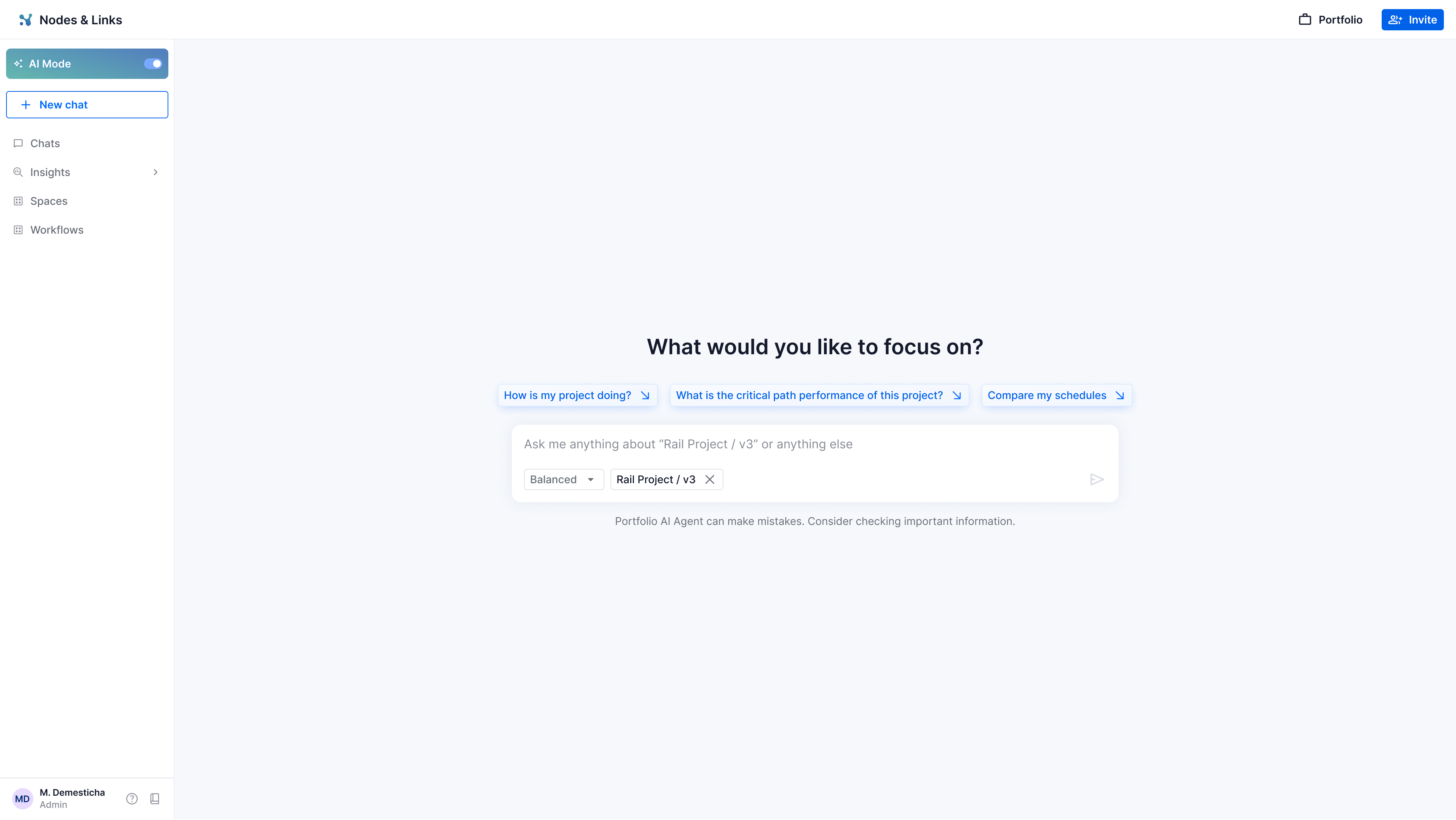
Rather than dropping users into an empty chat, I used their entry point to seed both the agent's context and the suggestions shown to the user. If someone opens the agent from Rail Project, version 3, the suggestions apply to that project. If they open it from the portfolio page, the suggestions relate to the portfolio structure instead. This solves the empty start problem and quietly teaches users what the agent can do.
2. Handling context switches between topics.
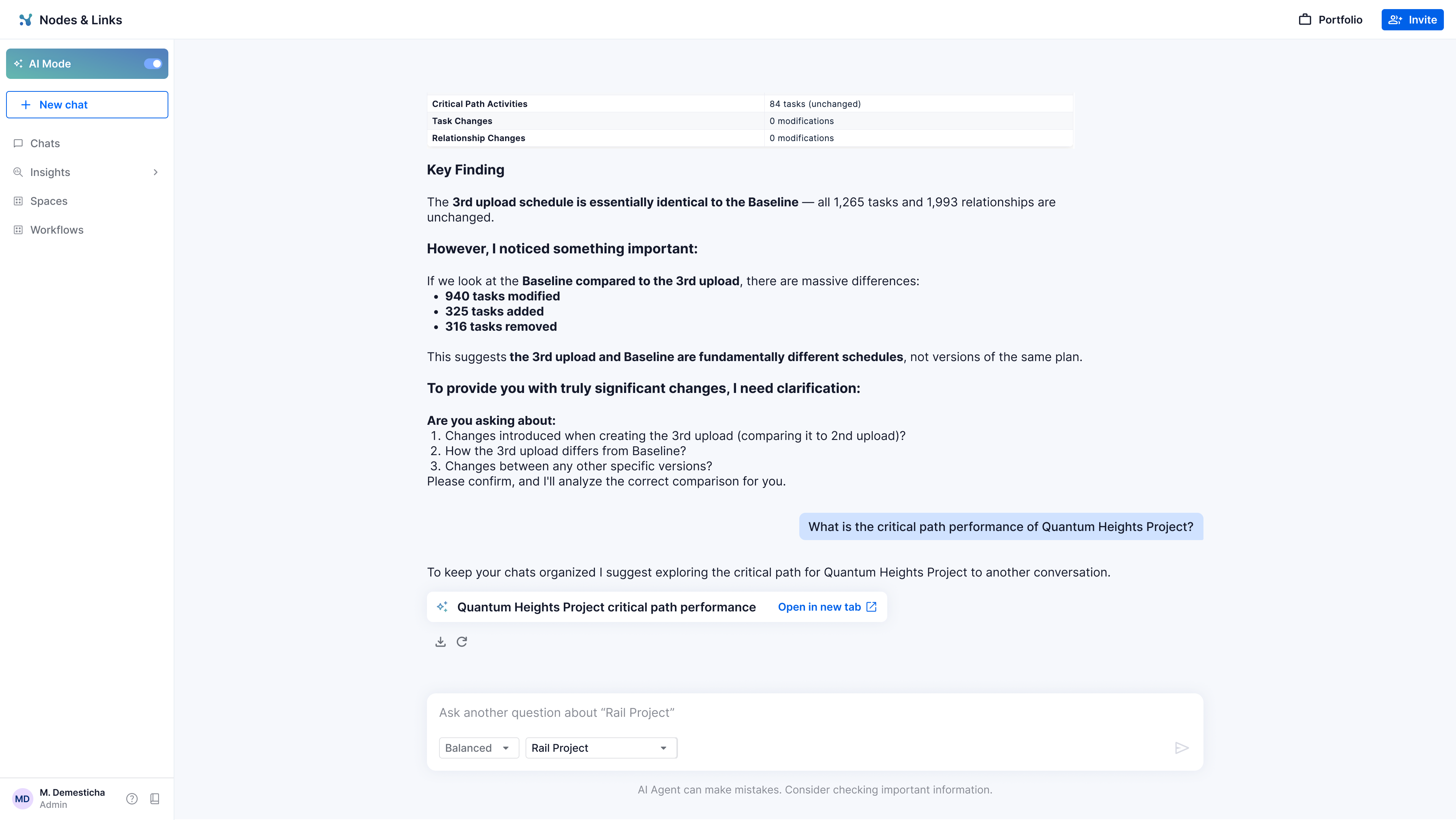
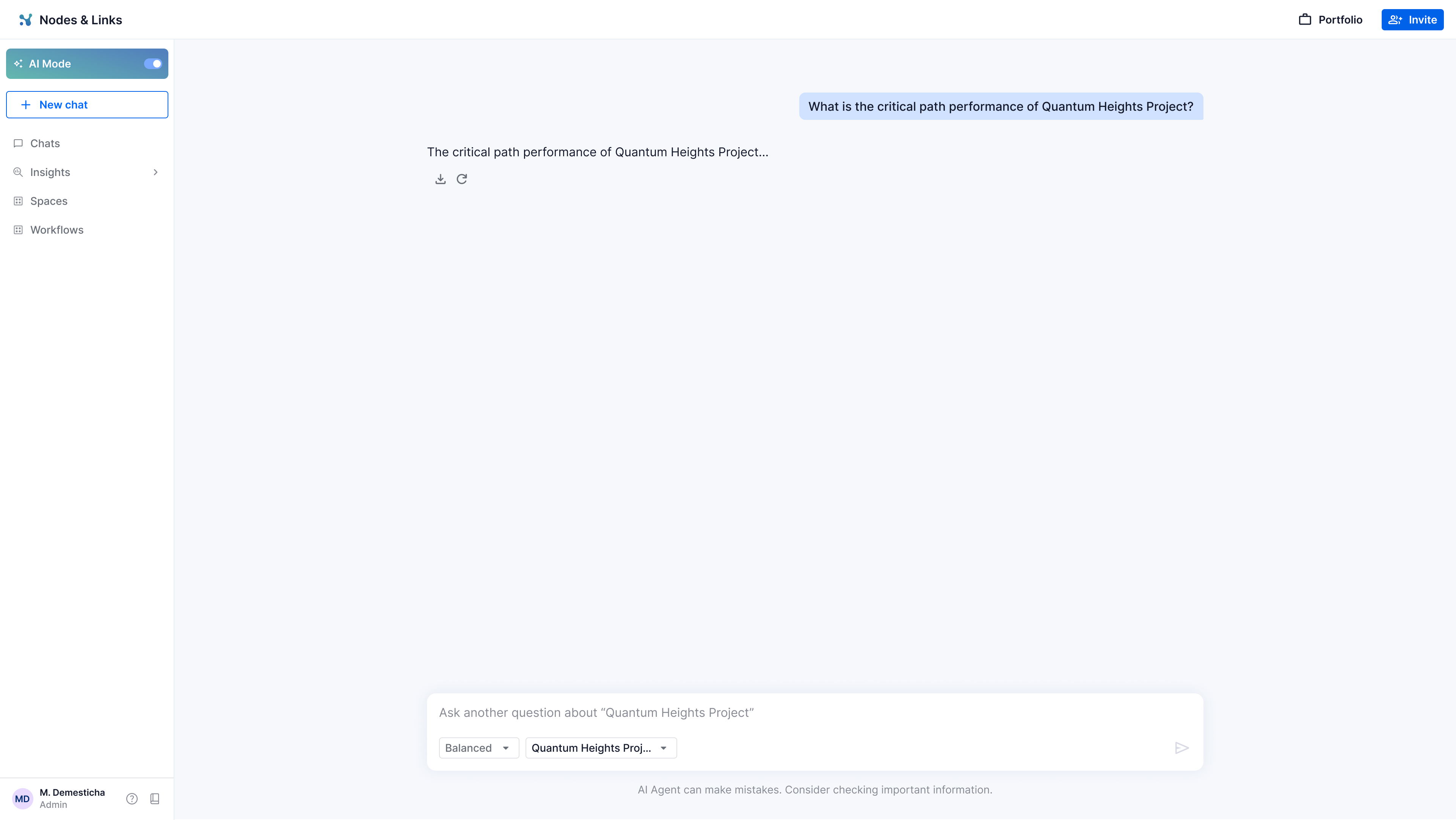
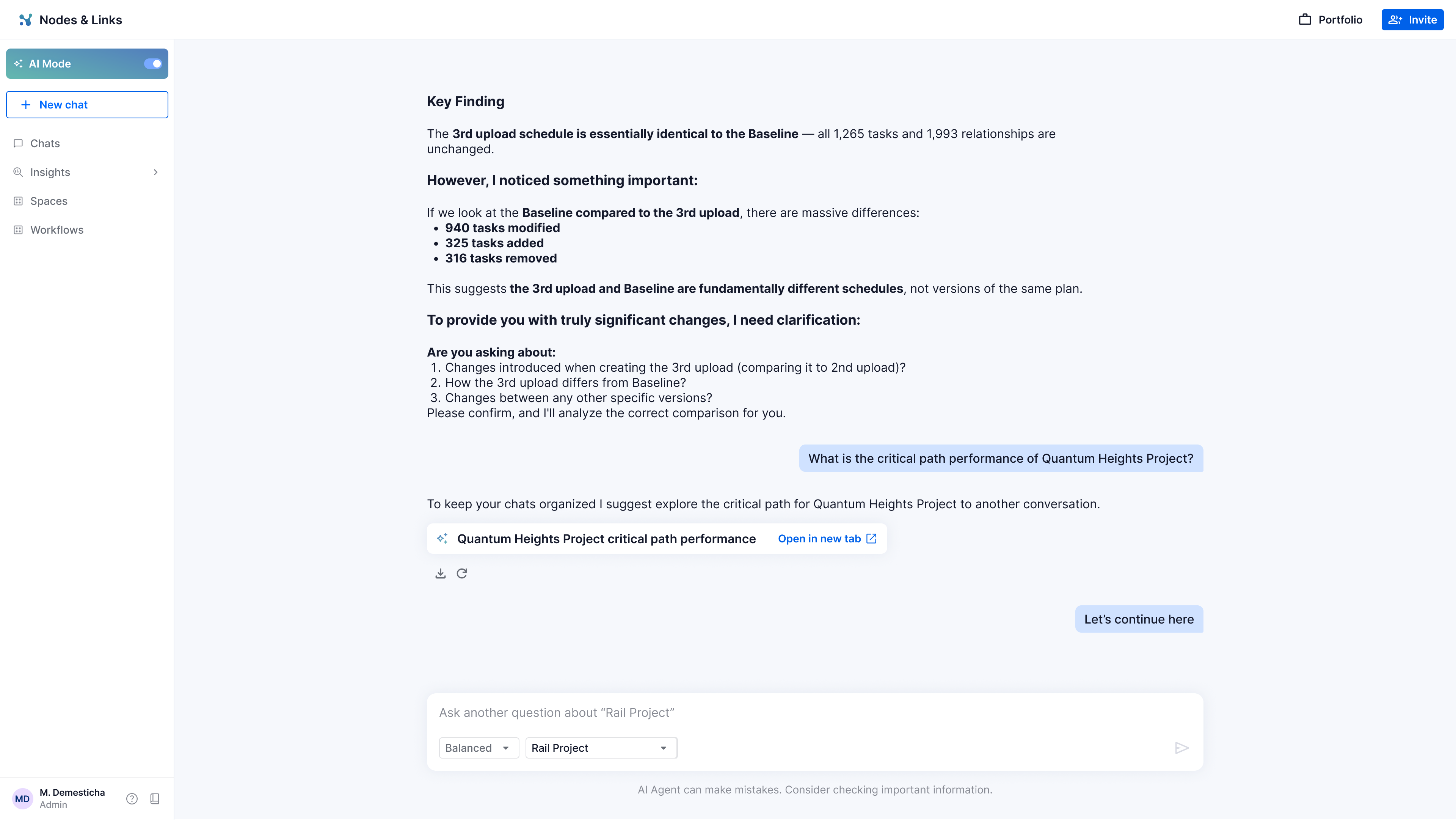
Say a user asks about the Rail Project, then pivots to the Quantum Heights Project. At that switch point, the agent suggests continuing in a new chat so histories stay clean and future navigation stays easy. A button opens a new tab preloaded with the user's last message and the agent's response, so they lose nothing by switching.
3. Staying in one chat, without losing the thread.
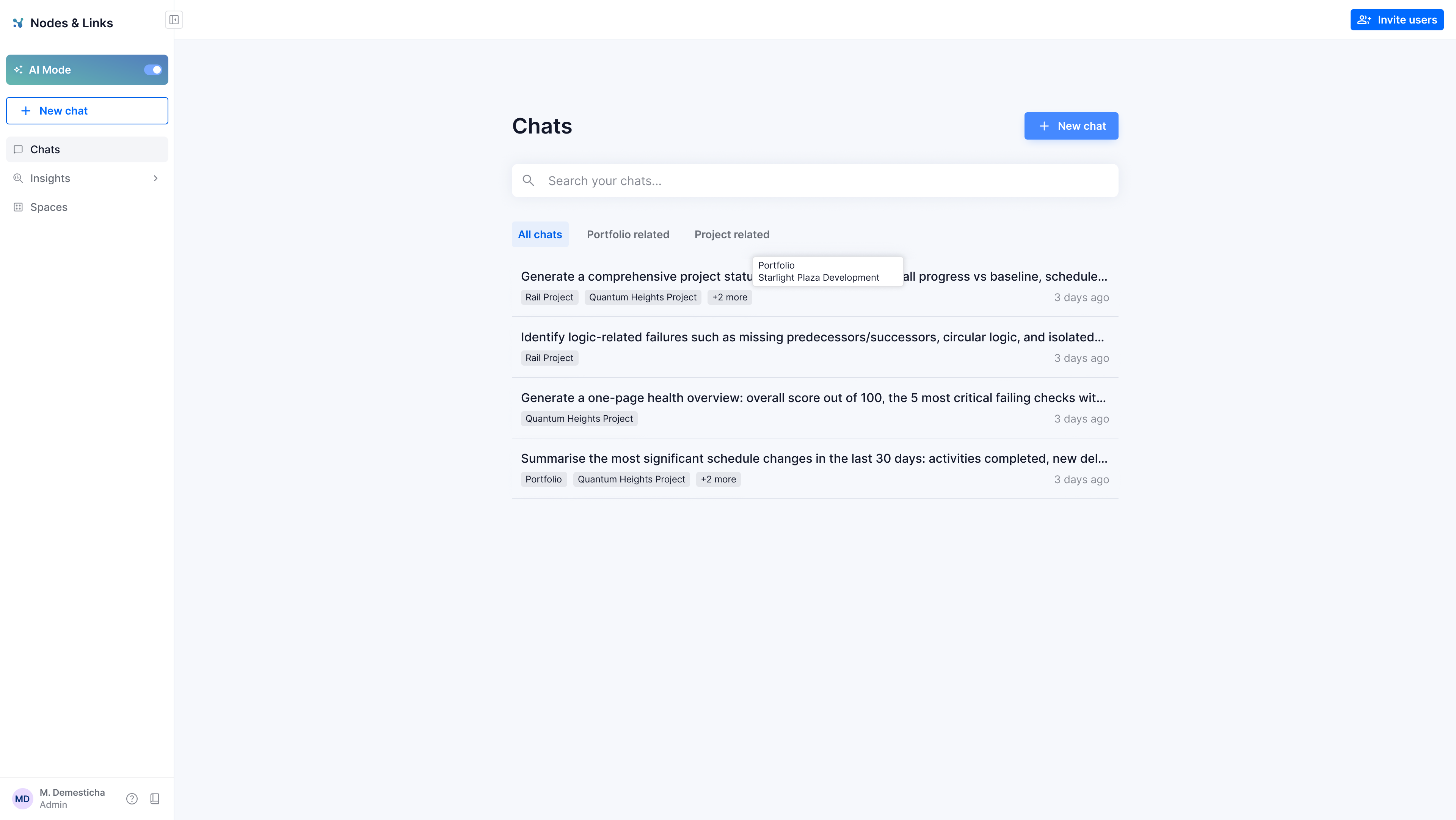
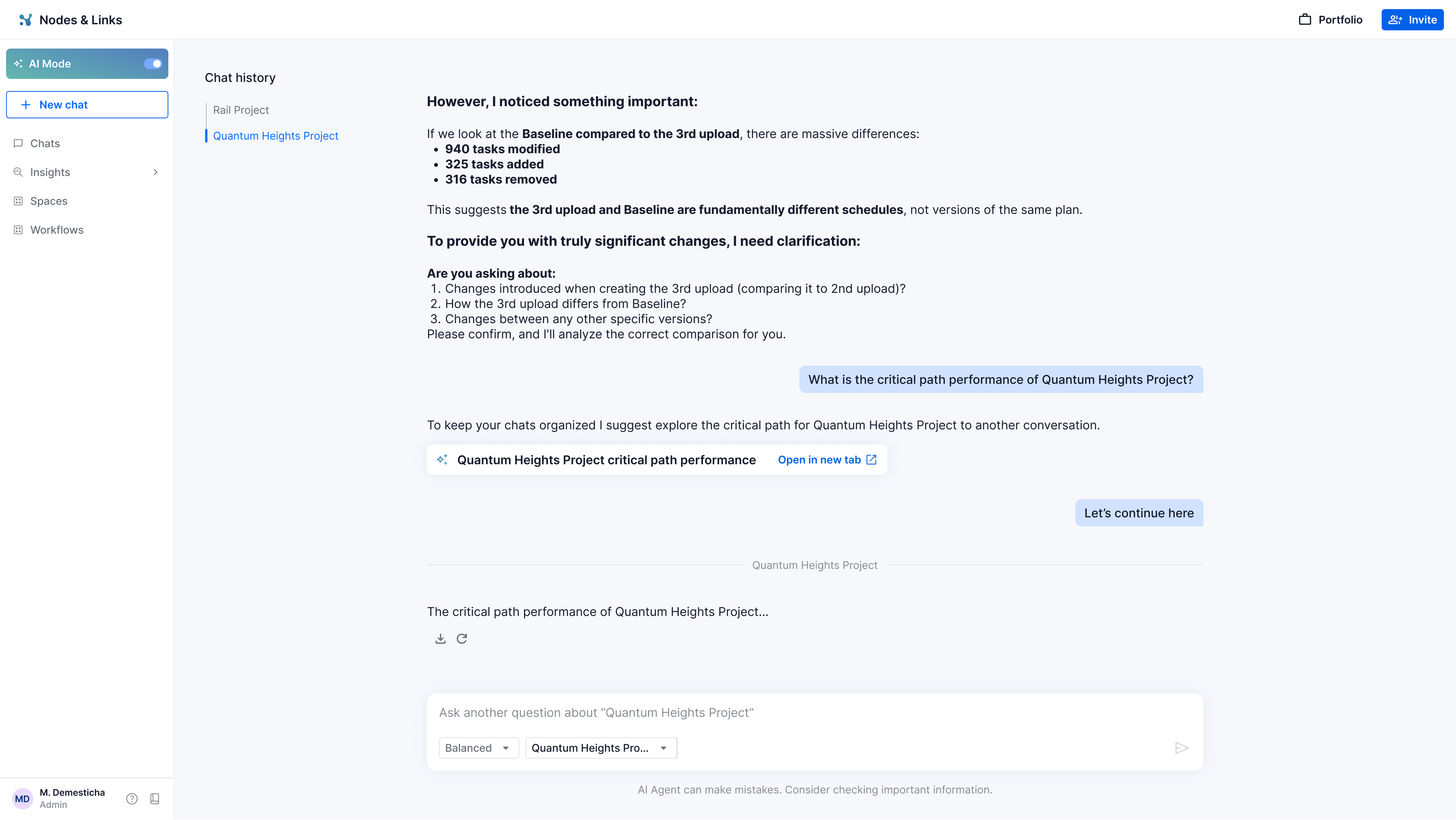
If the user chooses to keep going in the same conversation, a guide appears in the upper left that lets them navigate within the chat. Each topic section becomes a tag in the chat list, so users do not have to remember what was discussed where. The structure of the conversation is visible at a glance.
4. Handling generic or unclear questions.
If the user removes the default context and asks something the agent cannot scope on its own, such as "What are the most significant changes in v3?", the agent does not guess or fail silently. It surfaces two ways to resolve the ambiguity:
This turns a dead end into a guided recovery, and it teaches users the two mental models for scoping the agent: message level and persistent.
5. Tags in the chat list
Say a user asks about the Rail Project, then pivots to the Quantum Heights Project. At that switch point, the agent suggests continuing in a new chat so histories stay clean and future navigation stays easy. A button opens a new tab preloaded with the user's last message and the agent's response, so they lose nothing by switching.